
Bloxstrap The Ultimate
Roblox Launcher
A free, open-source alternative Roblox launcher for Windows with an FPS unlocker, fast flags, mods, themes and multi-instance support.
Platform
Windows 10 / 11
Latest version
v2.9.1
Developer
pizzaboxer
License
MIT, free
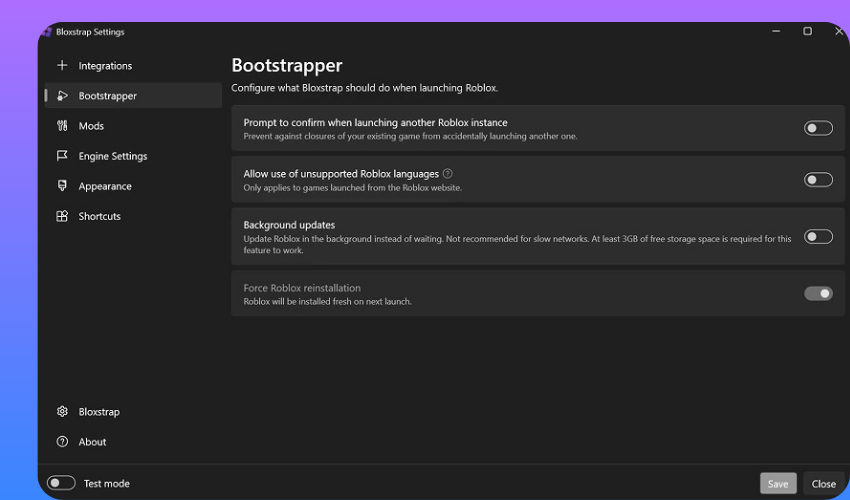
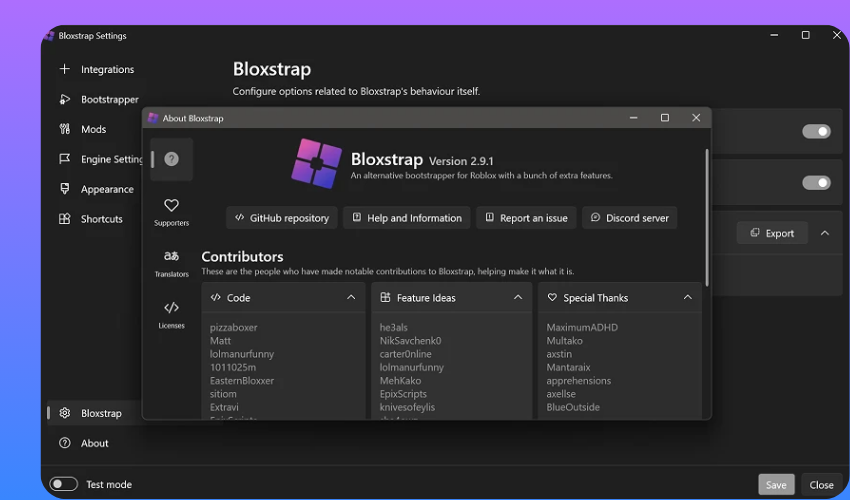
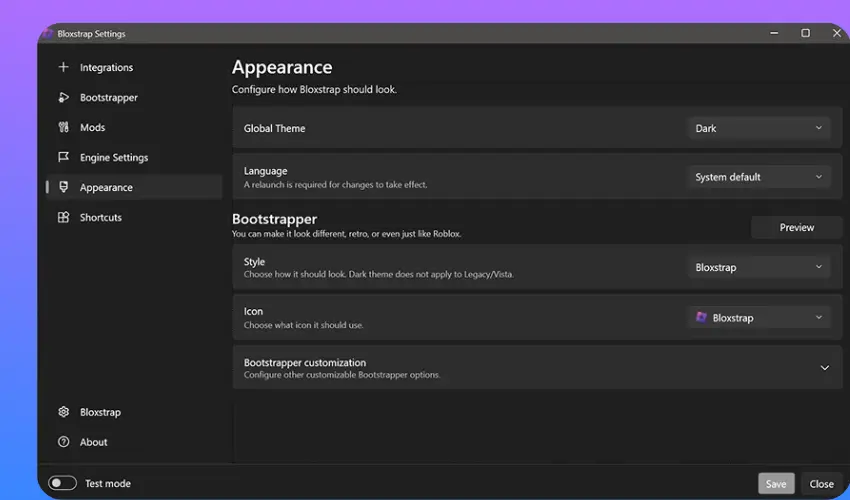
What Is Bloxstrap?
Bloxstrap is a free, open-source alternative launcher for Roblox on Windows. A developer named pizzaboxer created it to solve the limitations of the official Roblox launcher. It gives you full control over how Roblox runs on your PC, including performance tweaks, visual customization, and mod support. You download it once, and it replaces your standard launcher without affecting your account or game progress.
The tool works by sitting between your operating system and Roblox. Every time you launch a game, it runs first and applies all your custom settings automatically. The entire source code is publicly available on GitHub, so anyone can verify exactly what it does before installing.
Bloxstrap vs the Official Roblox Launcher
The official Roblox launcher does one thing only. It opens Roblox and gets out of the way. It gives you no FPS control, no mod support, and no customization beyond what Roblox itself offers inside the game.
This open source launcher changes that entirely. Here is a direct comparison of what each option offers:
| Feature | Official Launcher | Bloxstrap |
|---|---|---|
| FPS Unlocker | No | Yes |
| Fast Flag Editor | No | Yes |
| Custom Mods | No | Yes |
| Discord Rich Presence | No | Yes |
| Multi-Instance Support | No | Yes |
| Custom Fonts | No | Yes |
| Themes and Shaders | No | Yes |
| Server Region Detection | No | Yes |
| Activity Tracking | No | Yes |
| Game Shortcuts | No | Yes |
| Open Source | No | Yes |
| Free-to-Use | Yes | Yes |
The difference is significant once you see it laid out clearly. Every feature in the right column costs you nothing extra and requires zero technical knowledge to set up after the initial installation.
Key Features of Bloxstrap
The launcher packs a wide range of features that transform your Roblox experience on Windows. Every feature works out of the box after installation, and you manage all of them through the clean launcher menu. Here is a full breakdown of everything it offers.
FPS Unlocker and Fast Flags
The FPS unlocker removes Roblox’s default 60 FPS cap. Your game runs at your monitor’s full refresh rate, whether that is 144Hz, 165Hz, or 240Hz. You feel smoother movement, faster response times, and a noticeably better gameplay experience, especially in fast-paced competitive games.
Fast flags are advanced configuration settings that control how Roblox runs at a deeper system level. You access and edit them directly through the built-in fast flags editor without touching any system files manually. Popular fast flag settings include options for graphics quality, rendering mode, texture resolution, and memory optimization. The best fast flags for FPS boost include settings that disable unnecessary rendering passes and reduce GPU overhead without visibly affecting game quality. New to them? Start with our fast flags guide or the low ping settings.
Custom Mods and Avatar Mods
Custom mods let you replace in-game assets like sounds, textures, sky boxes, and UI elements with your own versions. You drop mod files into a designated folder, and the launcher applies them automatically every time Roblox starts. Your changes survive Roblox updates because the tool reapplies them after every update automatically without any input from you.
Avatar mods take customization further by letting you modify how your character looks beyond what the official avatar editor allows. The r63 mod is one of the most downloaded avatar modifications in the community. Always source your mods from the verified channels on the official Discord server to make sure you only install files that are safe and free from malware.
Themes and Shaders
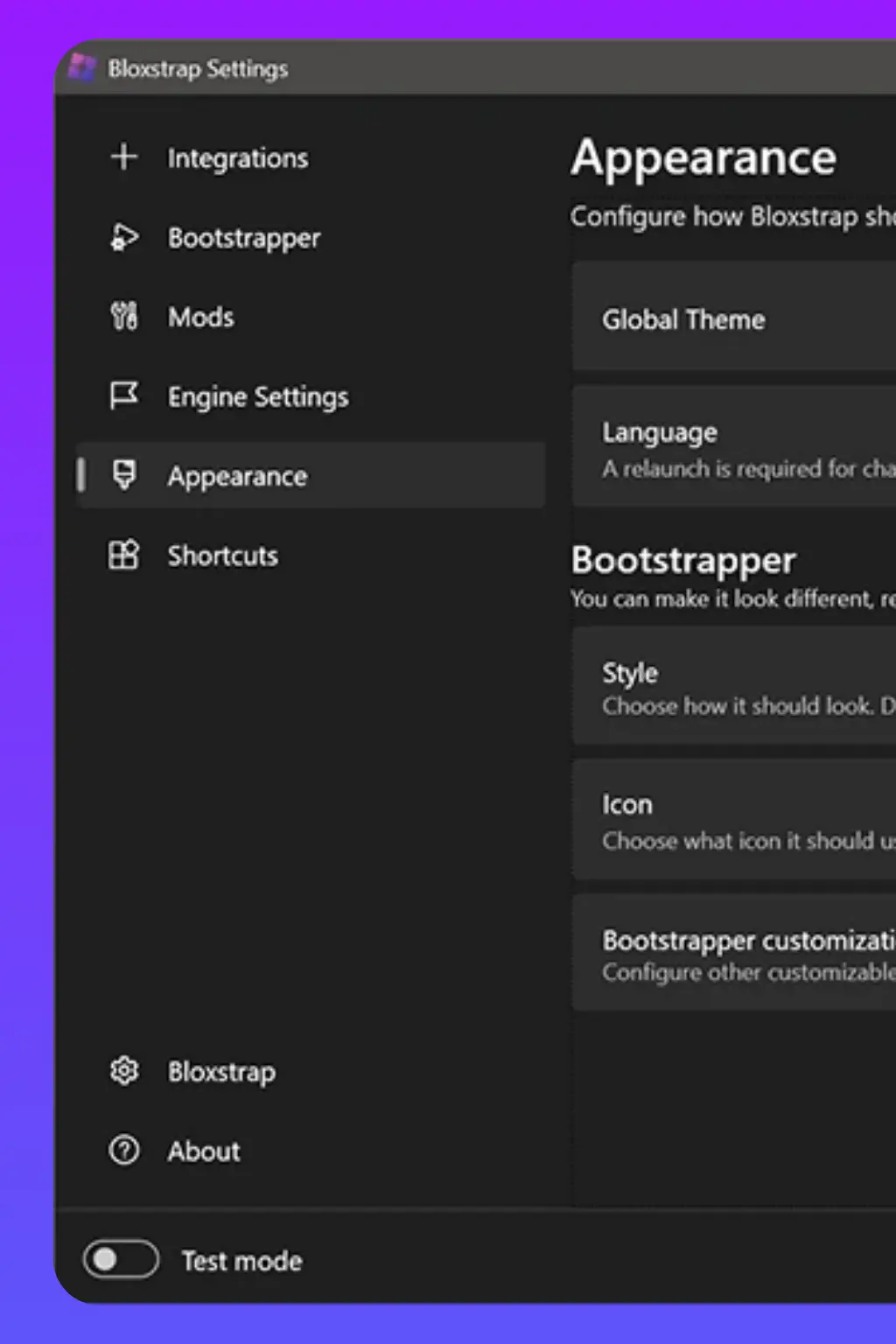
Themes change the visual appearance of the launcher menu itself. You pick from a library of community-made designs or build your own from scratch to match your personal setup. Themes affect the color scheme, background, button styles, and overall look of the interface you see every time you open the tool.
Shaders go beyond the launcher and enhance in-game visuals directly. They improve lighting quality, add ambient shadows, sharpen colors, and give Roblox a noticeably more polished look compared to the default rendering. You enable shaders through the mods folder using compatible shader packs that the community shares on Discord and GitHub.
Custom Fonts
Custom fonts let you replace the default Roblox typeface across all in-game text and UI elements. You can install any font you prefer, including the widely loved Minecraft font, retro gaming typefaces, clean sans serif options, and decorative styles. The change applies globally, so every piece of text in Roblox uses your chosen font after installation.
Installation is simple and does not require any coding knowledge. You rename your font file correctly, drop it into the right folder, and the launcher handles the rest automatically. The dedicated section below and our Bloxstrap fonts guide walk you through the exact steps.
Multi-Instance Support
The multi-instance feature lets you run more than one Roblox account at the same time on the same PC. You open multiple game windows simultaneously without them conflicting with each other or forcing you to log out between sessions. This works well for players who manage multiple accounts, run in-game trading sessions, or want to test game mechanics across different profiles at once.
You enable it directly from the settings menu with a single toggle. No additional software, virtual machines, or workarounds are needed. Each instance runs completely independently with its own login session, game state, and settings.
Discord Rich Presence
Discord Rich Presence connects your Roblox gameplay directly to your Discord profile. Your friends and server members can see exactly which game you are playing, which server you are in, and how long your current session has been running. The display updates in real time as you move between games.
You control exactly what information gets shared through the settings menu. You can show full game details, limit it to just your active status, or turn it off completely, depending on your privacy preference. The feature activates automatically after installation with no additional configuration required to get it working.
Server Region Detection
The server region detection feature shows you exactly which geographic region your current Roblox server is hosted in. You see this information directly in the launcher while you are in-game. If your ping feels high or your connection seems unstable, this feature helps you identify whether the problem is your internet or your server location.
You can use this information to leave and rejoin a game specifically to land on a server closer to your region. Players in the Philippines, Brazil, and other regions outside North America find this particularly useful since Roblox defaults to US servers more often than local ones.
Activity Tracking and Game Shortcuts
Activity tracking keeps a log of your Roblox sessions, including which games you played, how long each session lasted, and when you last played. You access this history directly from the launcher menu. It is a simple but useful feature for players who want to track their time or revisit games they enjoyed previously.
Game shortcuts let you create dedicated desktop links for specific Roblox games. You click the shortcut, and the launcher opens Roblox and drops you directly into that game without navigating through the Roblox website or app. This saves time, especially for players who return to the same games regularly.
System Requirements
You must ensure that your PC meets the following minimum requirements before you install it:
| Component | Minimum Requirement |
|---|---|
| Operating System | Windows 10 or Windows 11 only |
| Runtime | Microsoft .NET 6 Desktop Runtime or higher |
| Processor | Any modern dual-core processor at 1.6 GHz or faster |
| RAM | 4 GB minimum. 8 GB or more recommended for multi-instance use |
| Storage | Minimal space beyond your existing Roblox installation |
| Internet Connection | A stable connection is required for download and gameplay |
| Roblox Account | An active account to launch and play games |
It does not support Windows 7 or Windows 8. If you run an older version of Windows, you need to upgrade to Windows 10 or 11 before attempting installation. The Microsoft .NET 6 Desktop Runtime installs automatically during setup if it is not already present on your system.
How to Download and Install Bloxstrap?
Download it only from a source you trust. The official project pages are bloxstraplabs.com and the GitHub page at github.com/pizzaboxer/bloxstrap, and the button below serves the v2.9.1 installer for Windows. Whichever source you use, scan the file with VirusTotal before you run it.
Follow these steps to install the latest version on your Windows PC:
- Click the Download button above to get the installer file, or get the latest build from the official GitHub page.
- Open the downloaded installer file (Bloxstrap-v2.9.1.exe) from your downloads folder. Do not rename it before running.
- Click Install when the setup window opens. It installs quickly and does not require administrator permissions in most standard cases.
- Wait for the installation to complete. The tool automatically downloads and configures Roblox during this step if it is not already installed on your PC.
- Log in with your Roblox account when the login prompt appears. It uses the official Roblox authentication system, so your credentials remain fully secure.
- Configure your initial settings in the menu that opens after login. Enable the features you want, such as the FPS unlocker, Discord Rich Presence, and multi-instance support right from the start.
- Install Microsoft .NET 6 Desktop Runtime if the setup prompts you to. Click the link that it provides, and follow the Microsoft installer steps. Return to the setup after it completes.
- Launch any Roblox game from the Roblox website or use a game shortcut. The launcher applies all your settings automatically from this point forward without any additional steps.
How to Use Bloxstrap: Getting Started After Installation
The launcher runs automatically every time you open a Roblox game after installation. You do not need to open it manually before playing. It applies all your configured settings in the background without any extra steps from you.
Follow these steps to access and adjust your settings at any time:
- Right-click the launcher icon in your system tray at the bottom right of your screen.
- Select Open from the menu that appears to launch the settings panel.
- Toggle any feature on or off, including fast flags, mods, themes, and game shortcuts.
- Click Save after making any changes. Every adjustment takes effect the next time you launch Roblox.
How to Update Bloxstrap?
Keeping the launcher updated ensures you always have the latest features and security fixes. Updates are almost entirely automatic and require minimal input from you.
Follow these steps to update when prompted or to check manually:
- Launch any Roblox game as normal. The launcher detects available updates automatically before your game loads.
- Click Yes when the update notification appears. It downloads and installs the new version in under a minute.
- Open the settings menu if you want to check for updates manually without waiting for a prompt.
- Go to the About tab and click Check for Updates to trigger a manual check instantly.
- Visit the official GitHub page if you prefer to download the latest version directly and install it yourself.
How to Uninstall Bloxstrap?
If you want to remove the tool and return to the standard Roblox launcher, the process is clean and straightforward. Removing it does not delete your Roblox account, game progress, in-game purchases, or any saved data from Roblox itself.
Follow these steps to remove it completely from your PC:
- Open the launcher menu by right-clicking the system tray icon and selecting Open.
- Click the Settings tab in the navigation menu and scroll to the bottom of the page.
- Click the Uninstall button and read the confirmation prompt carefully before proceeding.
- Confirm your choice by clicking Yes when the prompt asks you to verify the uninstall.
- Wait for the process to complete. It removes all its own files and automatically restores the standard Roblox launcher.
- Restart your PC after uninstalling to ensure all system changes take effect cleanly before you open Roblox again.
If you ever change your mind after uninstalling, you can reinstall it at any time by downloading the setup file again.
Is Bloxstrap Safe to Use?
Yes, it is completely safe to use. The full source code is publicly available on GitHub, so any developer in the world can read every line and verify that it does nothing harmful. Roblox staff have also publicly confirmed that using third-party launchers does not violate their terms of service as long as you do not use it to cheat or exploit games. The installer is additionally signed through the SignPath Foundation, which gives you an extra layer of verified authenticity on top of the open source transparency.
Does Bloxstrap Work on Mobile and Mac?
The launcher is a Windows-only desktop application built specifically for Windows 10 and Windows 11. It does not work on Android, iOS, tablets, or Mac devices of any kind. No official mobile or Mac version exists, and the developer has confirmed this publicly. If you use a Mac, Fishstrap is a community-built alternative with Mac compatibility that covers many of the same features. The official Roblox app from the App Store or Google Play Store remains your only safe and legitimate option for mobile gaming. Read our Bloxstrap mobile guide for what is and is not possible.
How to Add Custom Fonts in Bloxstrap?
Adding custom fonts is one of the most popular personalizations in the community, and it requires no technical experience to set up. You can replace the default Roblox typeface with virtually any font, including the widely loved Minecraft font, retro pixel fonts, modern clean typefaces, and decorative display fonts. Here is the exact process:
- Download your preferred font file in .ttf or .otf format from a trusted source. The verified fonts channel on the official Discord server is the safest place to find community-tested options.
- Open File Explorer on your PC and navigate to your Modifications folder. The default path is
C:\Users\YourName\AppData\Local\Bloxstrap\Modifications. - Enable hidden folders in File Explorer if the AppData folder is not visible. Go to View, then Show, and enable Hidden Items.
- Create a new folder inside the Modifications directory and name it
fontsexactly with no capital letters. - Rename your downloaded font file to
CustomFont.ttfexactly. The launcher only recognizes this specific filename for automatic font replacement. - Place the renamed font file inside the fonts folder you just created.
- Launch Roblox through the launcher, and your custom font applies automatically across all in-game text, chat bubbles, and UI labels.
Simply delete the CustomFont.ttf file from the fonts folder and relaunch Roblox to revert to the default Roblox font at any time. The change reverses immediately without any additional steps. For more typefaces and screenshots, see our full Bloxstrap fonts guide.
Warning: Fake Bloxstrap Websites and Scam Downloads
This is one of the most important things to know before you search for a download link. Many fake websites copy the name, logo, and design of the real launcher to trick you into downloading malicious software. These sites appear in Google search results, YouTube video descriptions, and social media posts and look almost identical to the real thing at a quick glance.
Here is exactly what to watch for and how to protect yourself:
- Prefer the official sources. The official project pages are bloxstraplabs.com and github.com/pizzaboxer/bloxstrap. The installer on this page is the v2.9.1 build for Windows, so compare it with the official release and scan it before you run it.
- No mobile version exists. Any website offering a mobile download or an installer for Android or iOS is distributing malware. There is no legitimate mobile version, and there never has been.
- Check the URL character by character before clicking any download button. Fake sites use names like bloxstrap-download.com, getbloxstrap.net, bloxstrapmods.com, or similar variations designed to look real at a glance.
- Run a VirusTotal scan on any file you are even slightly unsure about before opening it. Upload the file to virustotal.com and check the results. The real installer consistently returns a completely clean scan across all major antivirus engines.
- Never pay money for it. The real launcher is and has always been completely free. Any site asking for payment, a subscription, or personal details in exchange for a download is running a scam.
- Avoid links shared in random Discord servers or YouTube comment sections. Always navigate directly to the official website yourself instead of clicking links from unknown sources.
Bloxstrap Alternatives Worth Knowing
If the launcher does not work for your specific setup, your operating system is not supported, or you simply want to explore what else the community has built, here are the most legitimate alternatives currently available:
- Fishstrap: A community-maintained fork of the original project with additional features and compatibility with Mac. It is actively developed, open source on GitHub, and free to use. A solid option for Mac users who want a similar experience.
- Froststrap: A Windows-focused fork built around performance optimization and a cleaner, more minimal interface. It shares most of the core features and suits users who prefer a lighter-weight option.
- Official Roblox Launcher: The default launcher that comes with every Roblox installation. It offers no extra features but remains completely stable, officially supported by Roblox Corporation, and the safest choice for users who are cautious about third-party tools.
None of these alternatives can currently compete with the full feature depth of Bloxstrap on Windows. They serve well as backups for unsupported systems or as starting points for users exploring their options. See our Bloxstrap alternatives comparison for more.
Bloxstrap Community: Discord and GitHub
The community built around this launcher is one of the most active and helpful gaming tool communities online. Joining it connects you to thousands of experienced players, modders, and developers who share resources, answer questions, and keep the project growing.
Here is where you find everything:
- Discord Server: Join through the official invite link on bloxstraplabs.com. The server has dedicated channels for mods, fast flags, custom fonts, themes, shaders, troubleshooting, and version announcements. Always download files exclusively from the verified channels inside the official server to avoid fake or malicious content from unofficial sources.
- GitHub Page: Visit github.com/pizzaboxer/bloxstrap to read the full source code, submit bug reports, follow upcoming feature development, and access the complete version release history. Every changelog from the earliest version to the most recent release appears here with full details on what changed between updates.
Both resources are free to access and require no special membership beyond a Discord or GitHub account to participate.
Frequently Asked Questions
Conclusion
Bloxstrap gives every Roblox player on Windows access to a level of performance, customization, and control that the official launcher has never offered. It puts you fully in charge of how you experience the game, from unlocking your FPS and fine-tuning fast flags to installing custom mods, fonts, and shaders. Download it from a source you trust, and take your time exploring every feature. You can also connect with the community on Discord to unlock everything this powerful open source launcher has to offer.